Donor Covers the Fees
Last updated: September 23, 2026
The Donor Covers the Fees option allows donors to increase their donation to help cover administrative and processing costs. It does not represent the actual fee you will be charged.
Overview
By default, this option is set to 2.5% + $0.30 per transaction for credit/debit cards, which is an estimate of processing fees. (The calculation helps offset fees, even if it isn’t exact.)
You can adjust this amount if you’d like donors to cover more of the actual fees. For example:
✅ Setting it to 3.5% + $0.30 per transaction can cover most card processing fees.
The fee calculation for ACH donations can also be modified, with a default of 0.5% + $0.30 per transaction.
Why It Matters
The Donor Covers the Fees feature plays a significant role in sustaining your organization's mission.
💼 For Your Organization
Maximizing Resources: When donors choose to help cover the fees, it allows for greater financial resources to be allocated to your organization's programs and services, ultimately enhancing the support you receive.
Variable Fees: The fees associated with processing donations can vary based on several factors, including the payment method and the donation amount. This option encourages donors to help offset these costs.
Payment Method
Processing Fee (Default)
ACH
0.5% + $0.30 per transaction
Credit/Debit Cards
2.5% + $0.30 per transaction
Digital Wallets
2.5% (3.5% for AMEX) + $0.30 per transaction
🤲🏽 For Your Donors
Support for Their Donation: This opportunity ensures that their donations go toward the causes they care most about. By opting in, they enable your organization to maximize the impact of their generosity.
Increased Impact: Choosing to help cover the fees enables their cash gifts to go further, directing more funds to the programs and services they support, rather than covering administrative expenses.
How It Works
Check out this step-by-step example:
John Doe visits your cash gift flow to make a $100 donation.
After selecting his designations, he'll be prompted to add a new payment method (or select a saved payment method from his Donor Profile).
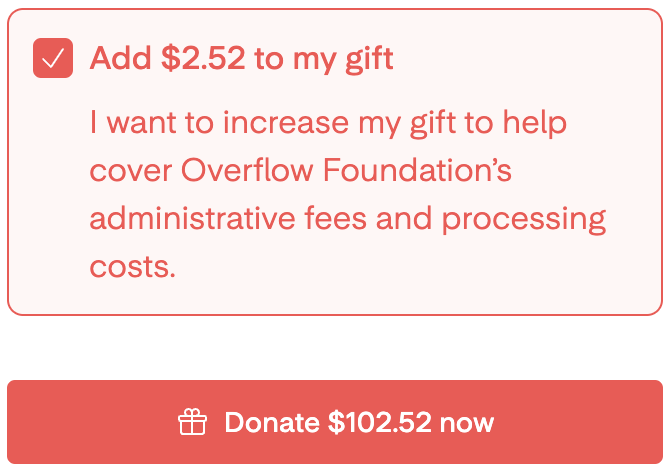
Before clicking Donate now, he'll be asked if he wants to help cover his organization's administrative fees and processing costs.
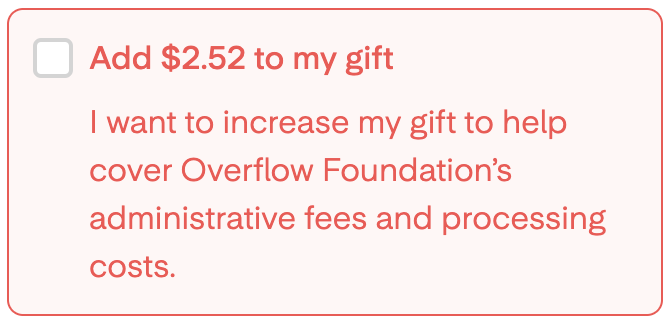
If he checks the box, the total amount of his donation will be updated and displayed in the Donate Now button.
All he has to do now is submit this gift. (Yes, it's really just that simple!)