How To: Send Donation Acknowledgment Letters
Last updated: September 9, 2026
Congratulations - you're ready to acknowledge a donor's very generous contribution to your organization!
🛑 IMPORTANT NOTE: For stock gifts, the acknowledgment letter is not automatically generated within the Overflow platform until you have entered the date on which the gift was received. To learn how to confirm receipt of a stock gift, please select your chosen payment method below:
Liquidation Clients
Brokerage Clients
If you aren't sure which payout option your organization chose, please email support@overflow.co.
Ready to proceed?
Follow these steps to send the automatically-generated acknowledgment letter to your donor:
1) Log in to your Overflow Dashboard. Within the Tasks bar on the home page, you'll see a list of all the contributions that either need to be confirmed or that still have an acknowledgment letter pending.
2) Find the gift you wish to acknowledge. You can either click the task on the Home page or navigate to the Contributions tab to find the correct transaction.
3) Send the acknowledgment letter. Click anywhere on the transaction item to open the contribution details window. Assuming no other tasks need to be taken, you'll see the option to "Send Acknowledgment Letter". Click the green button to send the letter immediately from the Overflow platform. You also have the option to navigate to the ellipsis on the far right and either send the letter or download it as a PDF to send from your own email alias.
- ⚠️ ⚠️ We recommend downloading every acknowledgment letter and saving it to a specified folder EVEN IF you send the letters directly from your Dashboard.
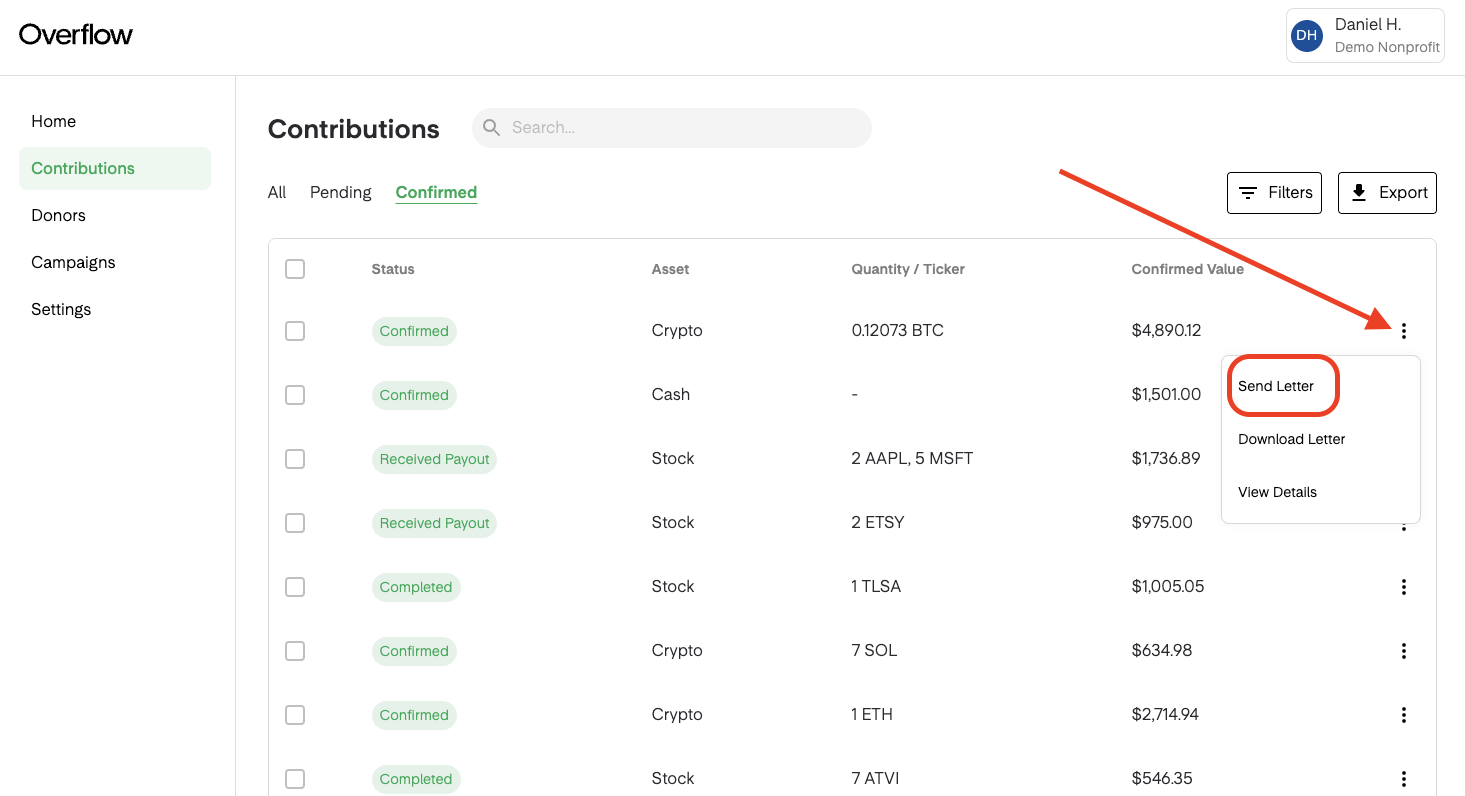
You can also choose to send multiple acknowledgment letters at once. To bulk-send letters, select the checkboxes next to the gifts you wish to acknowledge or select all by clicking the box next to "Status". A green pop-up will appear at the top of your screen. Click the mail icon to send all the letters at once. You can also download or request the status of every gift from within that same pop-up box.
Related Articles
Customize Your Acknowledgment Letter. A Quick How-to
Confirm Receipt of Stock Gifts. Brokerage Clients
Confirm Receipt of Stock Gifts. Liquidation Clients
IRS Requirement: Charitable Acknowledgement Letter