How Do I Edit a Donor’s Personal Information?
Last updated: September 24, 2026
You may find that some Donor Profiles are editable while others are locked. This depends on how each account was set up and whether the donor has verified their information.
Editable Profiles
Look for Donor Profiles marked with a Created tag. They'll be linked exclusively to Manual Cash gifts (e.g., physical cash or checks).
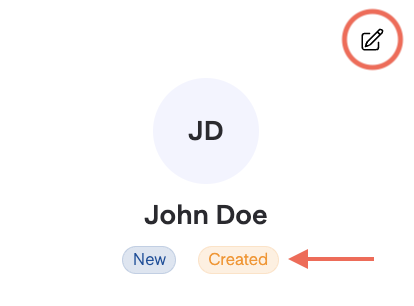
These Donor Profiles were added to your Dashboard for recordkeeping. Since they're not accessible by donors, your team can update their contact details directly.
Editable Details
When viewing a specific Donor Profile, simply click the pencil icon (✏) in the top-right corner to make edits.
👤 First and Last Name
📧 Email Address
📞 Phone Number
🏡 Mailing Address
What If I'm Missing Information?
To save your changes, all fields must be completed. ✅
If you’re missing one or more pieces of information, you can either:
Create a new Donor Profile — We can consolidate the donor's giving history.
Use a placeholder email address (e.g.,
firstname.lastname@[URL]) — This helps ensure each Donor Profile stays unique and can be easily updated with the donor’s actual email in the future.
Locked Profiles
If a donor has verified their contact information, either by donating through Overflow or by importing their giving history, you won't be able to edit their Donor Profile.
Data Security
🔐 When a donor verifies their account, they're trusting us with sensitive information, such as payment methods. To protect that trust, we restrict access to this data.
If any updates are needed, the donor can make the changes themselves.